
Congratulations to all of the founders in the YC W24 batch! Whenever YC is session, I get the urge to build something myself. Last year, I started what has now become a tradition of building and open-sourcing a project that leverages some of the companies in the batch. Today, I’m excited to share the latest edition.
Branded helps founders name their startup, secure the domain, and brand it—all in one place. As an investor who partners with founders at inception, one of the first challenges I see companies face is what to name their startup. It’s often one of the most difficult, yet important decisions any founder will make. To solve that problem, I decided to build Branded. In addition to helping you find the perfect name for your startup or side project, it also helps you secure the domain name, generate a logo, and even create branded content.
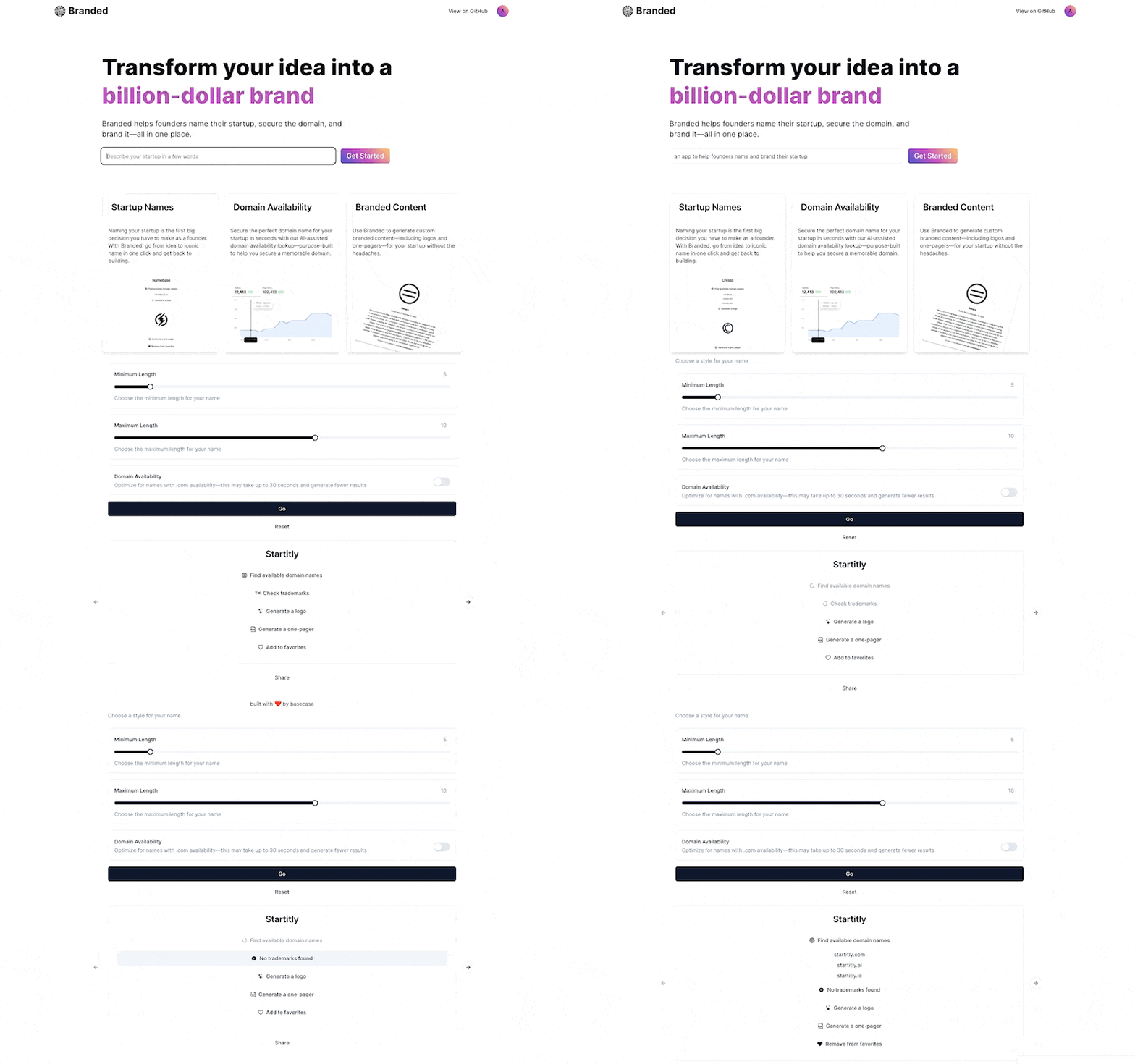
To build it, I used the following companies from the YC W24 batch:
- Aqua is a voice-driven text editor that organizes your thoughts as you speak. I used it to brainstorm for the project and this blog post.
- Ellipsis is an AI developer tool that converts technical instructions into working, tested code. I used it to summarize and review pull requests.
- Fume is an AI software developer in Slack. I used it to make some small tweaks.
- Greptile is an AI-powered API that can search and understand large codebases in natural language. I used it to ask questions of my codebase.
- Markprompt1 is AI infrastructure to power customer support at scale. I used it to embed an AI-chatbot to help users with common questions.
- Million is an APM that uses AI to make websites automatically fast. I used it to uncover performance improvements.
- Momentic uses AI agents to let developers run end-to-end tests 10x faster. I used it to automate testing.
- Onedoc is an API for PDF document generation. I used it to generate the branded one-pagers.
- Tusk is an AI coding agent that fixes customers' bugs instantly. I used it for some surprisingly nontrivial tasks.
The application is built with Next.js & Supabase2 and leverages shadcn/ui for many of the UI components, OpenAI for the AI generations, Whoxy for domain lookups, and Braintrust3 for prompt management, logging, and evals.
Unlike previous projects of mine, Branded is an AI-first application. Furthermore, almost all of the YC companies I used are AI companies themselves, so I got to experience first-hand what good developer experience looks like in the age of AI. In the remainder of this post, I’ll share some of my observations and takeaways for other founders building in the space.
Set expectations
There’s been a lot of cool work done by model providers like OpenAI to reduce latency and infrastructure providers like Vercel to improve the end-user experience by streaming responses, but the reality is that AI applications can be frustratingly slow. Yet after using many AI tools over the past month, I realized that it’s not the absolute time it takes for a response that bothers me, but the lack of clear expectations as to when to expect the response.
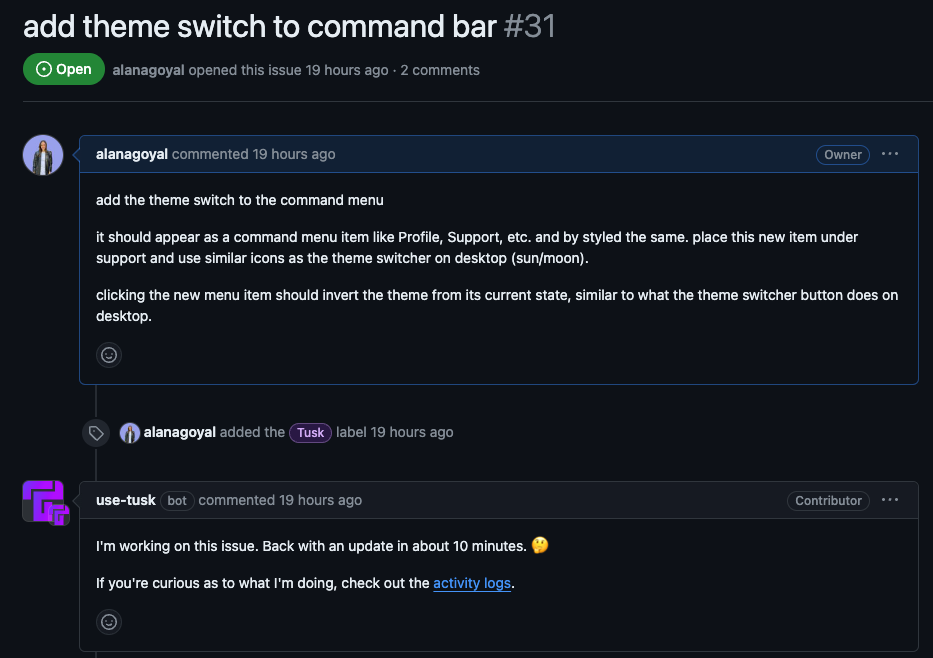
Tusk, the AI coding agent, communicates these expectations really well. When you open up a new GitHub issue and assign Tusk to start working on it, it tells you it will be back with an update in 10 minutes. As a result, instead of sitting there staring at the screen, I can go on to other work, or even fire off another task for Tusk to work on.
I also felt this acutely myself when building Branded. When a user wants to generate names that are optimized for .com availability, for example, it takes a lot longer because each name generated by OpenAI needs to be passed to the domain lookup API. Since .com domain names are often unavailable, this means it can take up to ~30 seconds before getting a response back to the user. For this reason, I tried to indicate to users that making this selection will take longer. In future versions, I’d love to come up with a cooler way of displaying this information, but for now it’s just in the form description.
Show your work
Regardless of whether you’re an AI engineer immersed in the AI ecosystem or an average person with no knowledge of LLMs, AI products can feel like a black box. With AI agents in particular, I find it super helpful to see how a problem is being broken down. As my friend Paul Dornier said eloquently: “More transparency, less magic”.
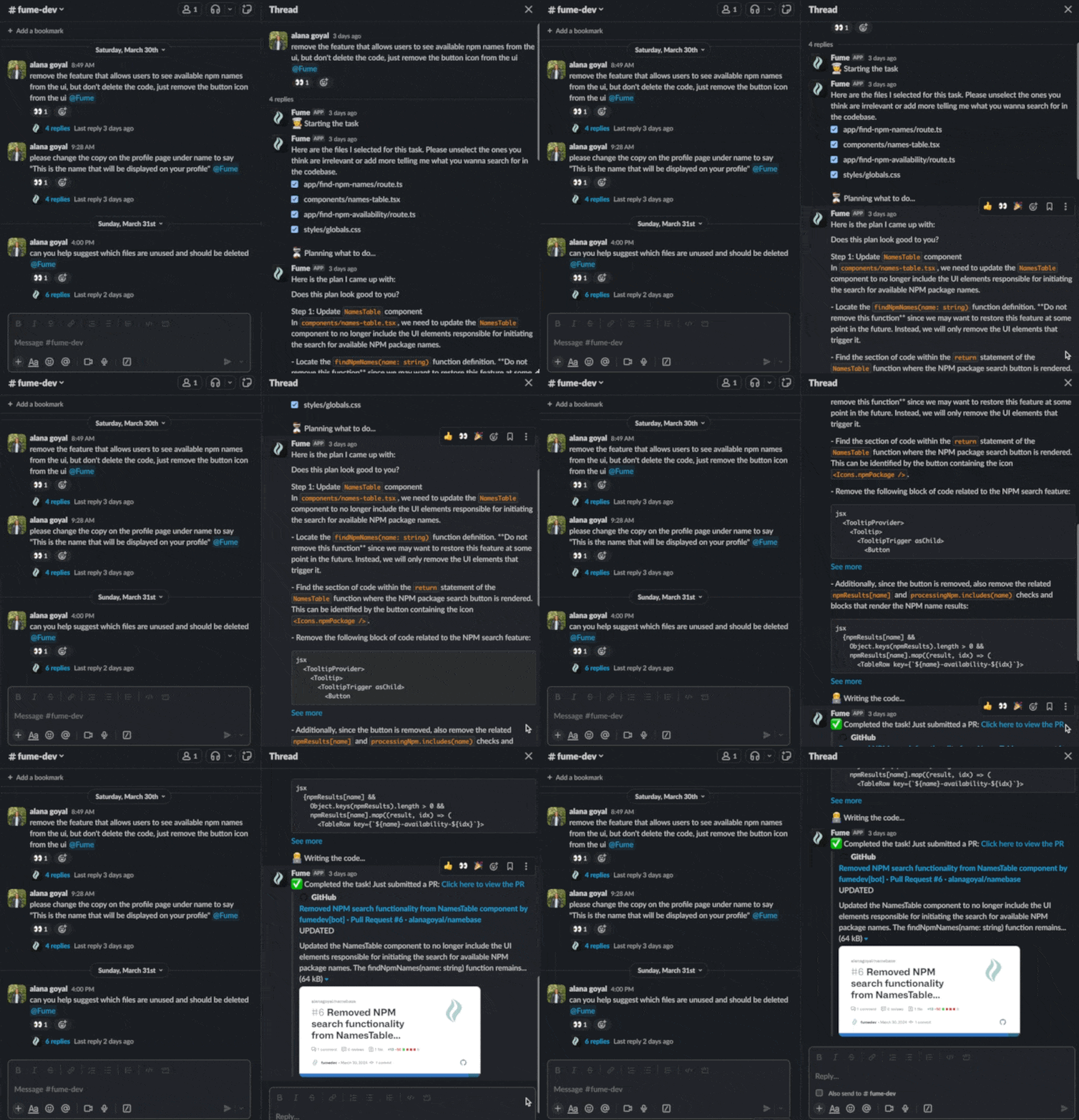
Fume is an AI coding agent invoked through Slack. When you ask Fume to work on something, the first thing it will do is ask you to select which files you want it to index. Next, it will give you an overview of the changes it plans to make. Only then will it create a pull request for your review. As an opinionated engineer, I like this approach because it allows me to steer the agent in the direction I want, without worrying about having to start from scratch if it goes off track.
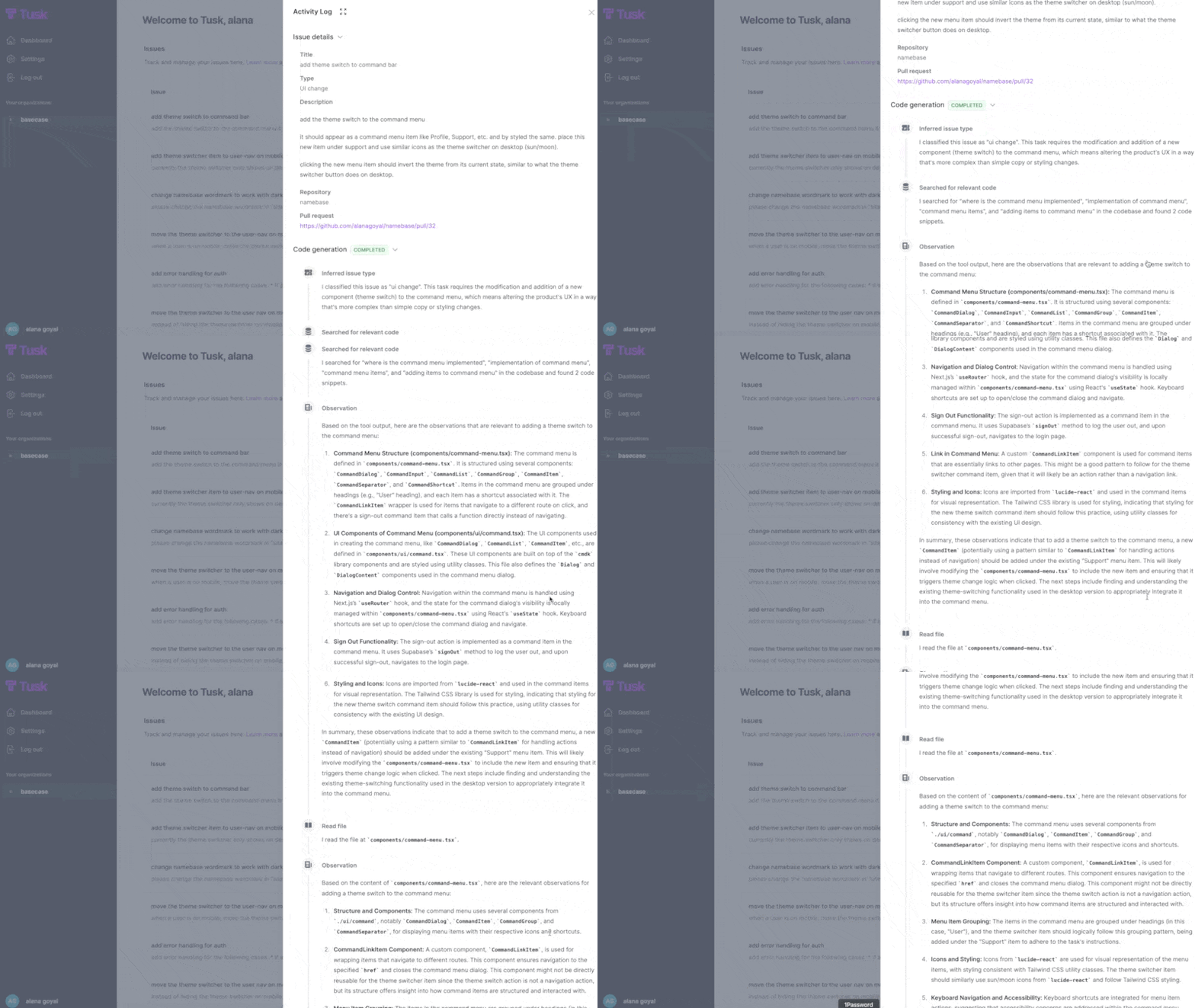
Tusk accomplishes this in a slightly different way. While the agent doesn’t show it’s work or ask for approval before submitting a pull request, you can see its detailed approach documented in the activity log, including which files it’s looking at, checks it’s making, errors it’s encountering, and more.
Build escape hatches
The AI wave has a lot of similarities to the “no-code” era of the last decade: it has the potential to give users superpowers. But just like no-code applications, AI applications also must include escape hatches to let users take over when necessary.
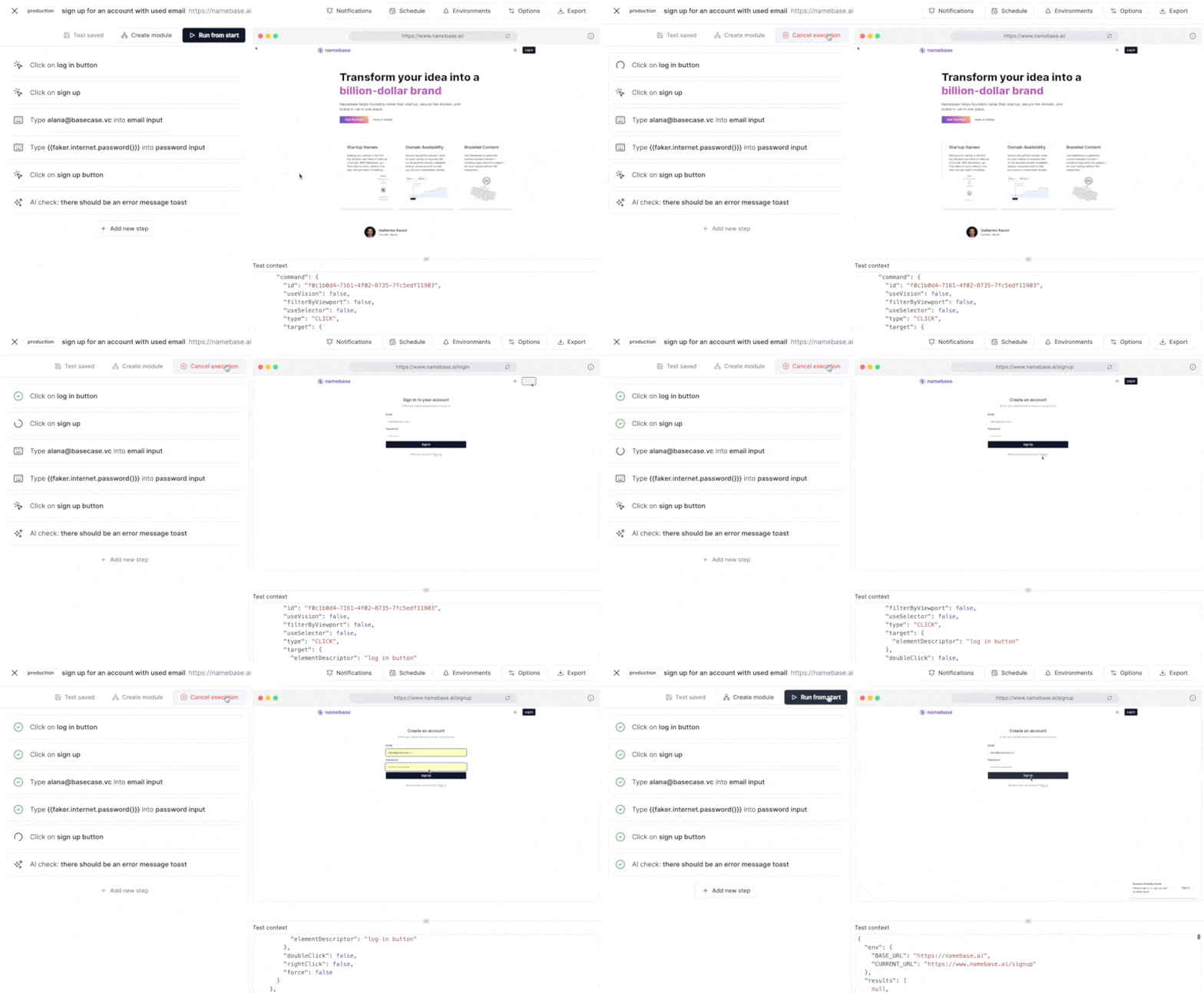
Momentic, for example, is a powerful tool that allows developers (or even product managers) define end-to-end tests in natural language. While it works really well for a lot of use cases, there are still times when I need to take control or fix something.
Markprompt’s ticket deflector is another great example of this concept. Markprompt helps enterprises automate their customer support by indexing all available knowledge within a company as the basis for answering questions from users. If a user is not satisfied with the answer, it can choose to submit a ticket, which Markprompt enriches with all of the relevant knowledge from the session.
Learn from your users
LLMs get better with more data, and in particular, data from your users. When I first started working on this project, I was frustrated to find that only a few companies had self-service products. When I started reaching out to founders, however, many kindly agreed to give me access to the beta if they could do a quick onboarding session. While I’m generally not a big fan of products that require white-glove onboarding, I eventually realized that trade offs are a bit different for AI products.
In many of these onboarding calls, the founders weren’t so much teaching me how to use their product, but rather observing me to see what I was doing without their direction. Their goal was to learn from my behavior in order to make the product better.
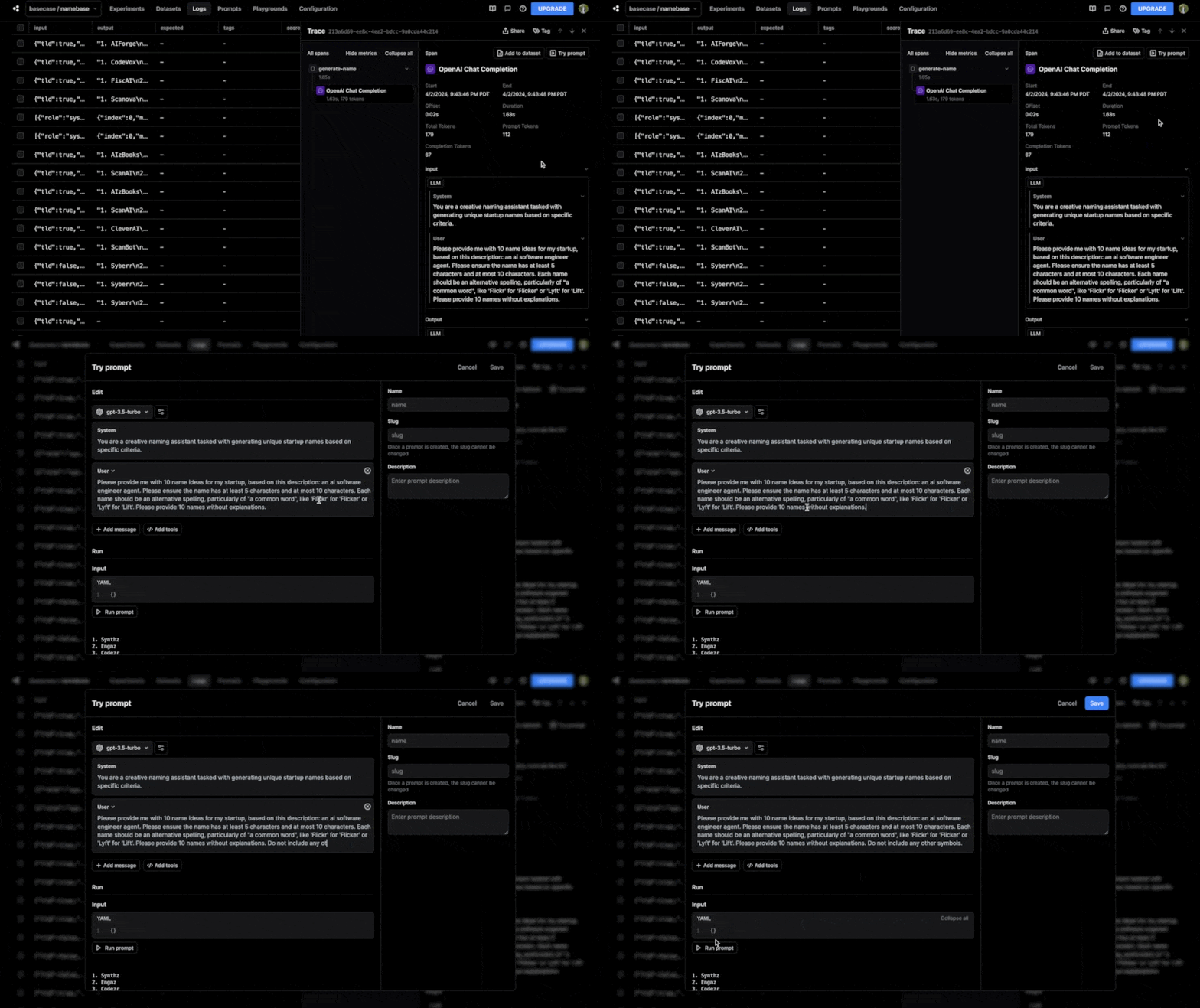
White glove onboarding sessions are definitely not the only way to accomplish this. In fact, products like Braintrust help AI companies log users’ responses and incorporate that feedback back into the development cycle. When working on Branded, I found Braintrust particularly helpful in debugging real users’ examples and making prompt adjustments to improve the user experience.
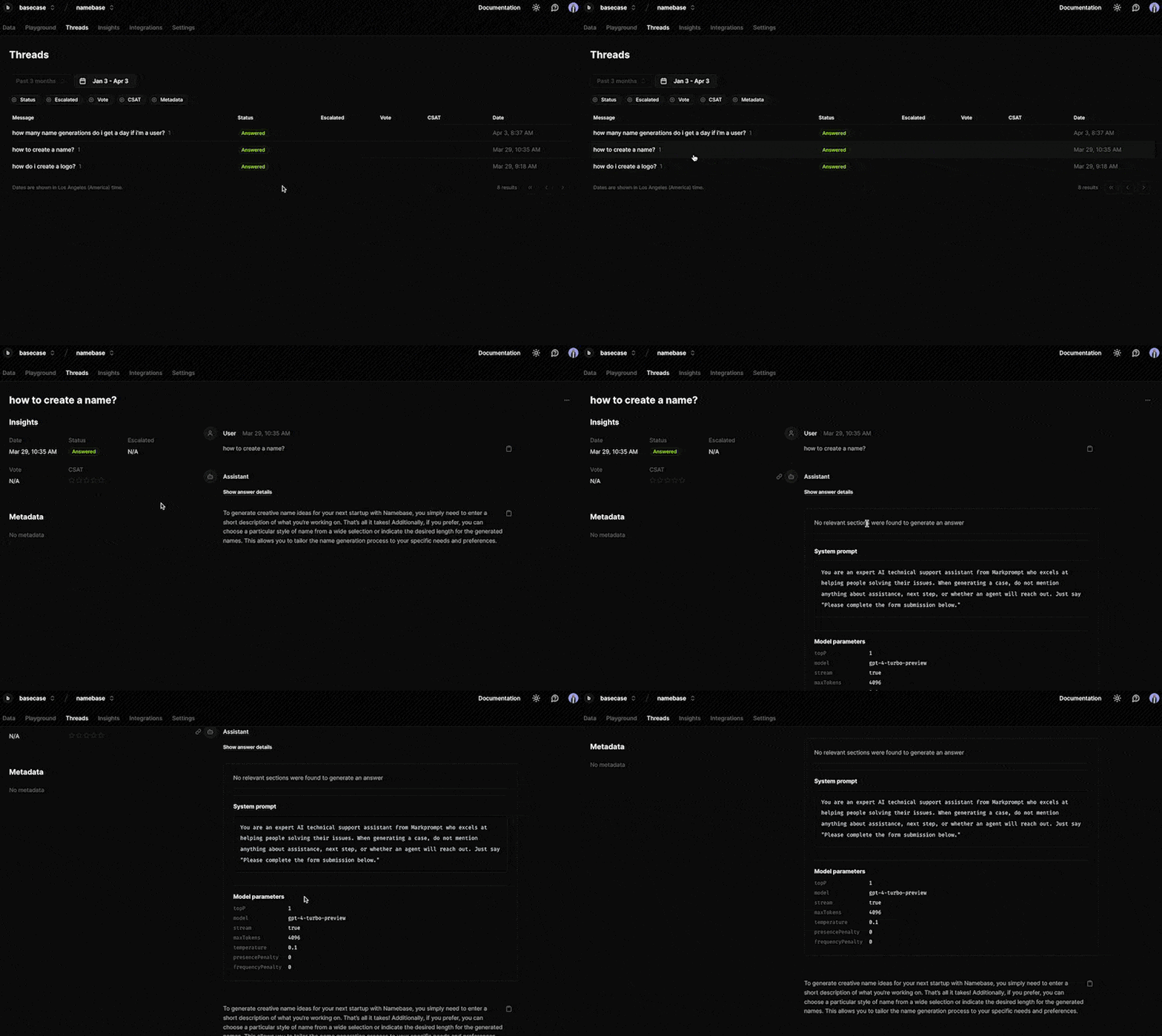
Similarly, Markprompt provides a simple interface for users to go in and see exactly what questions their customers are asking, how the LLM responded, and make improvements for future cases.
Be opinionated
In building my own AI product, I found the “blank canvas” problem to be very real. LLMs have the power to generate an incredible amount of content, but the real challenge is often determining which of it is useful to the user and which affordances allow them to accomplish what they need.
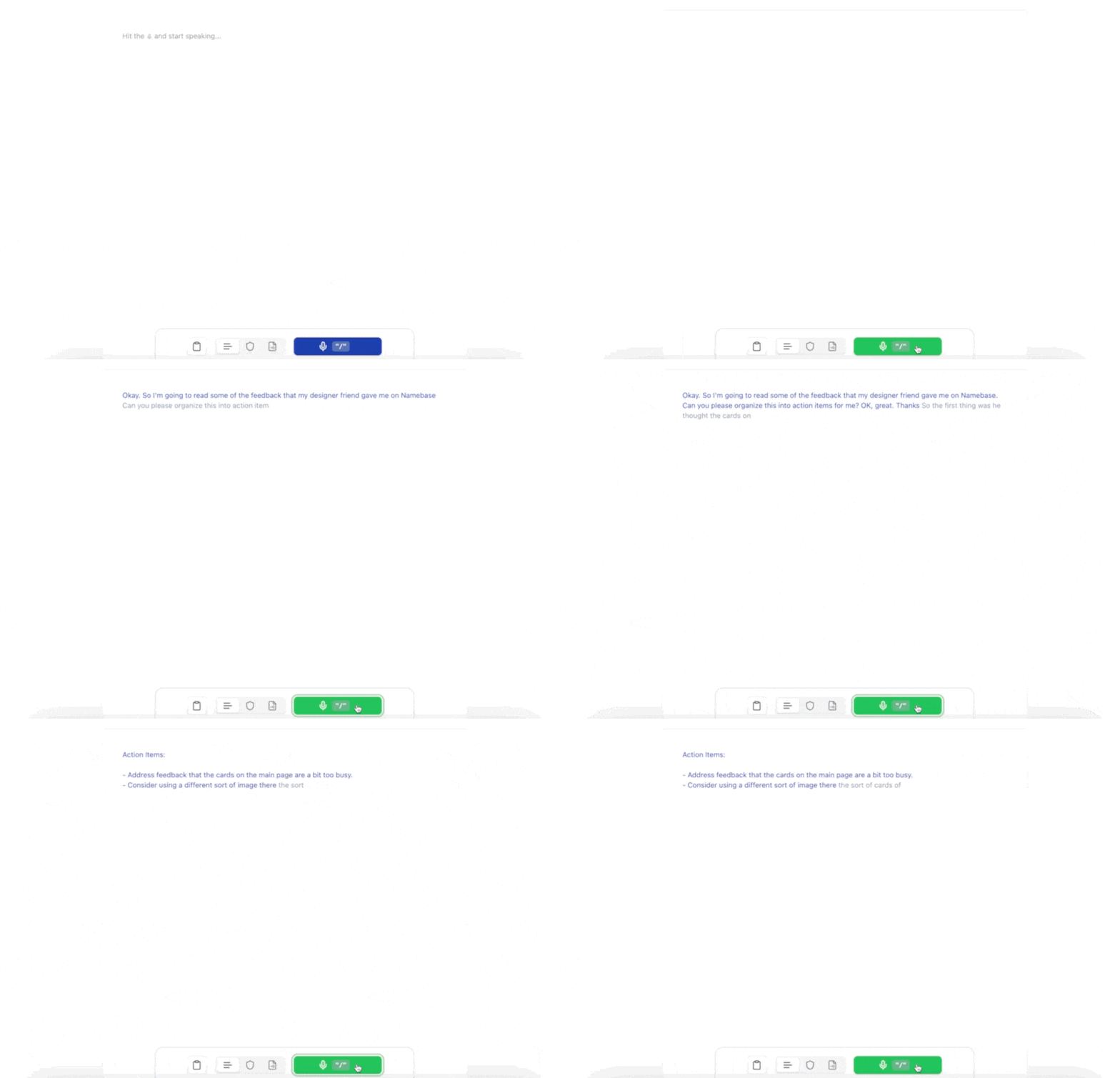
Aqua has a really interesting approach to this. Aqua is a voice-first notes application that listens to what you say and organizes your thoughts as you’re speaking. At first, it felt weird to see my thoughts being modified in real-time, but I quickly became addicted and impressed by the output.
Another example is Million, a copilot for performance optimization. Million has a really interesting UX for surfacing performance problems and suggesting potential improvements. While most APM solutions throw tons of data in a dashboard for you to make use of, Million takes a more opinionated approach.
Closing thoughts
I had such a blast building Branded and experimenting with these AI tools over the past month. Building an AI product is not easy—the non-deterministic nature of LLMs can make debugging incredibly frustrating and the landscape is changing so quickly that it’s hard to keep up. As with previous iterations of this exercise, I came away super impressed by the founders and builders in YC W24.
I’m also excited to continue working on Branded and improve it with your feedback. In future releases, I'd love to improve the algorithm for finding names that are optimized to have .com availability. I'd also like to explore ways to improve the logo generation so that the generated logos have a consistent vector image type and a transparent background. I’m also planning to integrate usage-based billing via Orb to allow users to generate more names and logos and a model selector via Baseten to let users swap between different open-source models. If you have feature requests or suggestions for me, please reach out. The code is fully open-source, so please check it out for yourself and submit a pull request.
Last but not least, a big thank you to Ankur Goyal, David Lorenz, Guillermo Rauch, Hassan El Mghari, Indragie Karunaratne, JJ Kasper, Jordan Singer, Paul Dornier, Sarup Banskota, & Vincent van der Meulen for being beta testers and giving me feedback on this project.